Basic Linux Commands Part : II

Welcome to Day 3 Challenge !!
In this challenge, we will be continuing to learn basic Linux commands.
Here is the task of this challenge.
Task: What is the Linux command..
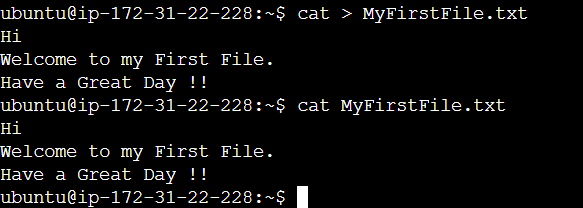
To create and write in a file directly.
You can create new files and add content to them using the
catcommand.cat > MyFirstFile.txt Hi Welcome to my First File. Have a Great Day !!
Press "Ctrl+D" to save once you are finished writing.
To view what's written in a file.
catcommand displays the contents of one or more files without having to open the file for editing.
To change the access permissions of files.
chmodis a command that lets you change the permissions of a file or directory to all types of users.
The file "MyFirstFile.txt" had read and write permissions for Owner & Group, for Others, it had only read permission.
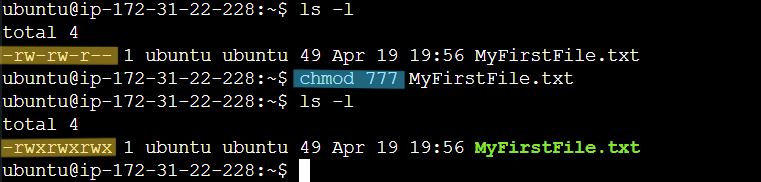
Using chmod command we changed the access/permissions to read, write and execute for Owner, Group and Others.
To create a fruits.txt file, Add content in Fruits.txt (One in each line) and view the content.
vim is a Linux text editor.
vim will create and start editing a single file using the following command.
vim Fruits.txt
vim can be used for editing any kind of text and is especially suited for editing computer programs.
* Inside vim,
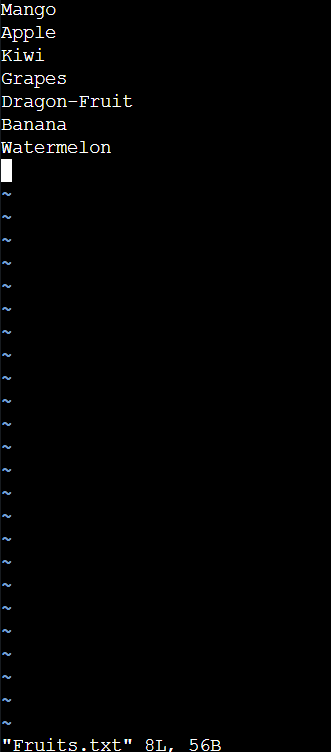
i. Press " i " to enter Insert mode.
ii. Once the text is added, press "Esc" to exit Insert mode.
iii. Lastly, Press " : wq " and Enter to "Save and Exit" the editor.
To view the content -
catcommand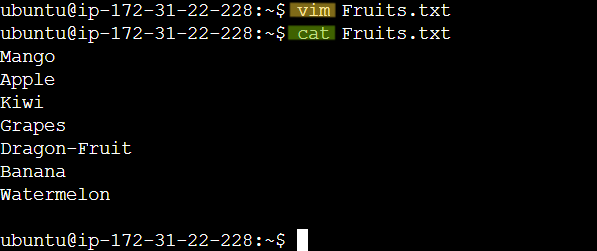
- To Show only the top three fruits from the file.
head -n 3 Fruits.txt
The head command prints the first lines of one or more files (or piped data) to standard output.
By default, it shows the first 10 lines. However, head provides several arguments you can use to modify the output.

To create another file Colors.txt.
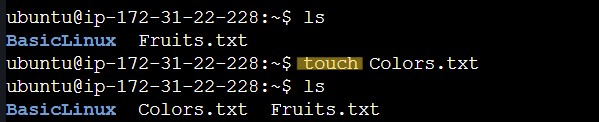
In this case, we have used the
touchcommand to create new empty file by giving file name "Colors.txt" as the input.touch Colors.txt- Output :
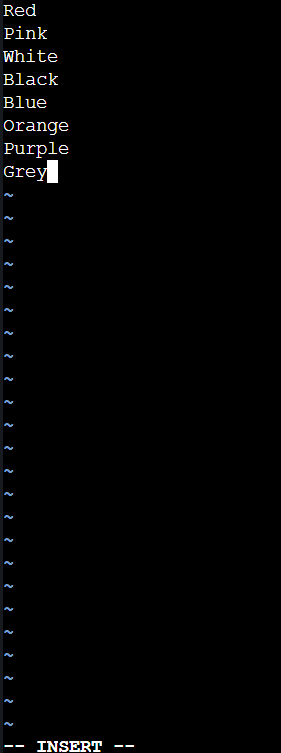
- Add content in Colors.txt (One in each line) - Red, Pink, White, Black, Blue, Orange, Purple, Grey and view the content.
Again we have used vim to edit and add content to Colors.txt.
* Inside vim,
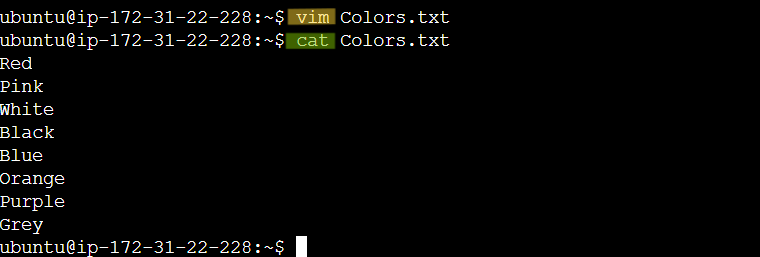
- To view the content -
catcommand
- To Show only bottom three colors from the file.
tail command is primarily used to output the end of a (text) file or to limit the output of a Linux command.
tail -n 3 Colors.txt
Output :

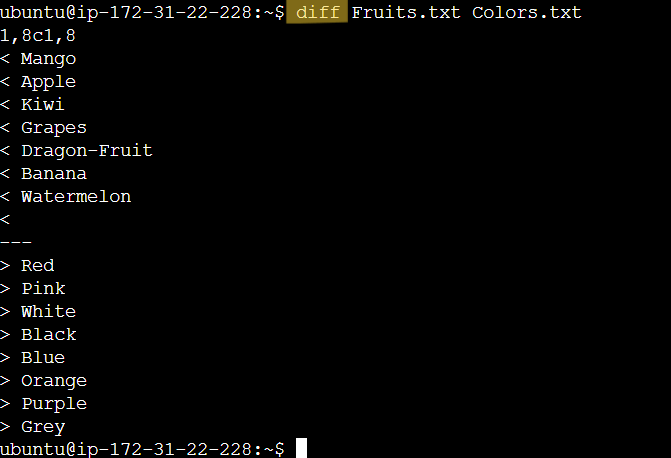
- To find the difference between Fruits.txt and Colors.txt file.
diff command is used to display the differences in the files by comparing the files line by line.
diff Fruits.txt Colors.txt
Output :
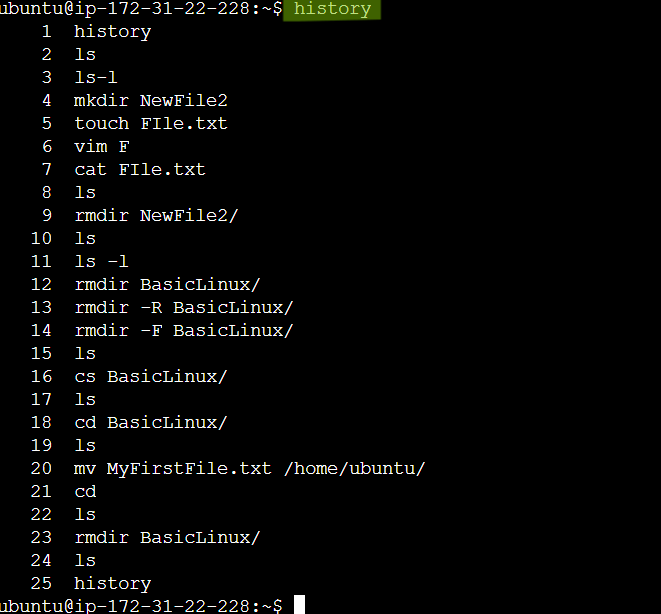
- To check which commands you have run till now.
history command is used to view the previously executed command.
history
Thats all about Day 3 Challenge. Thanks for reading till end. See you in next challenge.